
Release Notes
Bookmark this page to stay up-to-date with the latest Tonic features and user guides for your Tonic system. For each new version released, we will accompany it with Release Notes and user friendly Quick Reference Guides (QRGs). Release Notes will give you a quick and simple breakdown of new and improved features while the QRGs will provide more context to a feature that may have multiple working parts.
We value your feedback and want to make learning about your system as easy and simple as possible. If you have any questions, comments, concerns regarding any of the Release Notes or QRGs provided, please use our Feedback Form to let us know how we can improve.
Tonic Version 5.11
Release Date: 7/21/26
This update introduces a redesigned way to split checks, along with reliability and performance improvements across payments, printing, and multi-terminal service.
What’s New in This Update
- A new Split Order experience. Splitting checks is faster and clearer. The redesigned screen lets staff move guests and items with a tap, split evenly or into separate checks, and run split-and-pay through each check in order. This new experience is available after you update but stays off until it is switched on. To turn it on, contact your Tonic Partner. Walkthrough video: https://youtu.be/pTRwQwsUgFI
- Faster service in larger stores. Multi-terminal stores see quicker connection and order syncing during service.
- Clearer reprinted receipts. Reprints of closed orders now show both the reprint time and the original close time.
- Dual pricing, now simpler to set up. Merchants using dual pricing can now have it configured directly in the Back Office. Your partner or Tonic Support sets it up with you.
- Reliability fixes across kiosk gift-card printing, handheld barcode printing, tip reporting, and payment prompts.
Why Update?
Version 5.11 makes one of the most common tasks at the table, splitting a check, faster and less error-prone, while improving day-to-day stability across payments and printing. Larger stores get quicker, steadier service during a rush.
Setup Notes
The new Split Order experience is available after the update but stays off until it is switched on. Tonic Support turns it on, so contact your Tonic Partner to request it. Dual pricing is configured with your partner or Tonic Support.
Questions or Help?
Reach out to your Tonic Partner or visit tonicpos.com/support.
Tonic Version 25.46
Release Date: 3/31/26
This update delivers continued reliability and workflow improvements across kiosk, handheld, and in-store POS operations. It strengthens payment behavior, improves order handling, and adds more flexibility for kitchen ticket management.
What’s New in This Update
- More reliable kiosk ordering and credit card payment behavior
- Improved cash rounding and pricing display across key FOH workflows
- Better handling for future orders and online orders
- Ability to reprint individual kitchen/requisition tickets without resending the full order
- Improved device and terminal reliability, including handheld connectivity and payment terminal health reporting
- General stability and performance improvements across FOH payments, printing, and reporting
Why Update?
Version 25.46 provides a smoother, more dependable experience for restaurant teams. It reduces service interruptions around payments, printing, and order management while improving visibility and consistency for staff during busy shifts.
Questions or Help?
Reach out to your Tonic Partner or visit our support page at tonicpos.com/support.
Tonic Version 25.41
Release Date: 11/3/25
This update delivers focused performance and reliability improvements across both handheld and in-store POS devices, strengthening day-to-day consistency for restaurant teams.
What’s New in This Update
- Improved responsiveness and reliability for handheld ordering and payments
- Enhanced tip and tab adjustment handling for easier end-of-shift reconciliation
- General stability and performance enhancements across FOH and BOH
Why Update?
Version 25.41 provides a smoother, more dependable experience for staff and managers. Behind-the-scenes refinements improve device performance, order accuracy, and checkout speed, helping teams serve guests efficiently without interruption.
Questions or Help?
Reach out to your Tonic Partner or visit our support page at tonicpos.com/support.
Tonic Version 25.35
Release Date: 9/3/25
We’re excited to introduce Tonic POS version 25.35! This major update delivers powerful improvements to tip handling, modifier setup, printer formatting, terminal access, and device compatibility—all designed to provide a faster, smoother, and more flexible POS experience for restaurants and bars.
What’s New in 25.35
Smarter & Safer Tip Handling
- Optimized Tip Authorization: Tips over 20% now trigger advanced authorization logic to reduce chargeback risk and eliminate duplicate pending charges. Applies to both Dejavoo and Datacap.
- Improved Tip Decline Messaging: Staff now see clearer messages when a tip can’t be captured due to insufficient funds.
- Configurable Payment Modes: You can now configure card readers to use Sale/Adjust mode instead of PreAuth/Capture for non-tab tickets.
Easier Store Operations
- Close Store Walkthrough: A new guided step-by-step store closeout process helps ensure reports, drawers, and batches are properly finalized.
- User Access Restrictions: You can now limit which terminals each staff member can use.
- Ticket Locking: Prevents multiple devices from editing the same order at the same time.
Enhanced Printing & Menu Setup
- Better Modifier Layouts: Modifiers and sides now print with cleaner indentation on requisitions and kitchen tickets.
- Pre-Modifiers & Sales Groups: Build more structured and reportable menus using pre-modifiers and assign modifiers to their own sales groups.
- Loyalty Point Functionality for Modifiers: Loyalty points can now be earned and redeemed on modifiers, allowing for more flexible and rewarding loyalty programs.
Key Fixes & Improvements
- Tab Auto-Close: Tabs now finalize the same way as regular credit card tickets.
- Inventory Enforcement: FOH now correctly enforces available quantity limits when adding or duplicating items.
- Gift Card Swipe (P8): Swipe-to-activate functionality is now restored.
- Correct Report Labels: FOH user cash-out reports now display the actual staff name instead of "CASH DRAWER."
- Headless Reader Stability: Support improved for compact card readers like VP3300 via the Datacap integration.
Setup Notes
Some of the new features in this release (like the Close Store Walkthrough and Sale/Adjust mode) require configuration updates to activate. Please check with your Tonic Partner for more information.
Questions or Help?
Reach out to your Tonic Partner or visit our support page at tonicpos.com/support.
Tonic Version 4.09
Release Date: 5/15/25
Important Stability Update for Tonic POS
We've released a targeted stability update for Tonic POS to address critical issues affecting daily operations for some restaurants.
Key Improvements in this Update:
- Enhanced Store Closing Reliability: Resolved an issue that, in some instances, could prevent restaurants from completing their end-of-day store close procedures due to data synchronization errors. This fix ensures smoother and more dependable end-of-day processing.
- Payment Workflow Correction: Addressed a specific issue related to initiating bar tabs on certain Datacap A35 payment devices, restoring the expected card input workflow.
We recommend that all Tonic POS users plan to update to Tonic POS version 4.09 to benefit from these important stability improvements and ensure the continued smooth operation of your system.
Tonic Version 4.08
Release Date: 4/23/25 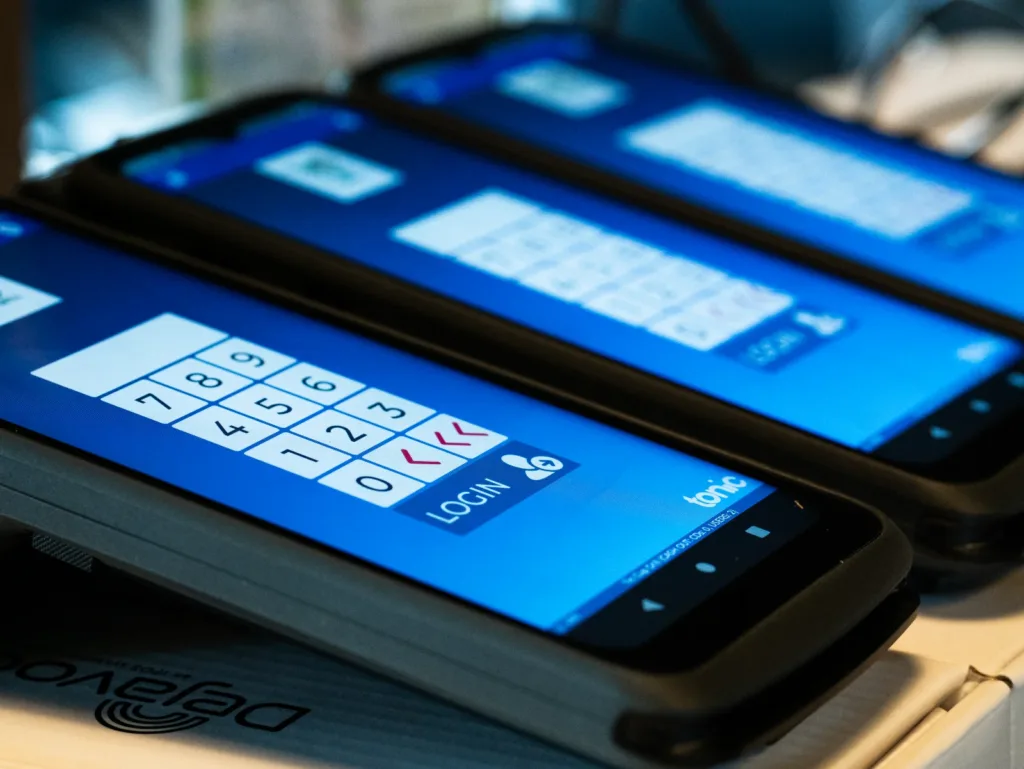
Enhanced Efficiency and Flexibility
Tonic POS Version 4.08 is now available, delivering a powerful combination of new features and significant under-the-hood improvements. We've dedicated the past few months to refining our platform, ensuring a smoother, more reliable, and feature-rich experience for your restaurant. This update reflects our commitment to providing you with the tools to grow your business and enhance your operations.
Release Highlights:
- Seamless Tableside Service with Dejavoo P8: Empower your staff to take orders and process payments directly at the table with the Dejavoo P8 integration, providing a more personalized and efficient dining experience. This reduces wait times, improves order accuracy, and enhances customer satisfaction.
- Improved Bar Tab Management: Enjoy faster and more accurate bar tab processing with streamlined workflows and enhanced payment features. This includes updates to incremental authorization to prevent chargebacks and a more intuitive user interface for managing tabs.
- Optimized Handheld Performance: Benefit from improved handheld device reliability and seamless integration with end-of-day closing procedures. This ensures smoother operations and minimizes disruptions during busy periods.
- Modernized User Interface: Experience a cleaner, more professional, and intuitive interface designed to enhance usability and streamline workflows. This makes it easier for your staff to learn and use the system, reducing training time and increasing efficiency.
- Enhanced System Stability: We've focused on core stability improvements to ensure a smoother and more dependable Tonic POS experience. This means fewer errors, faster performance, and increased reliability during critical operations.
- Improved Tip Adjustment Workflow: We've streamlined the tip adjustment process, making it faster and easier for staff to manage tips. This includes new filtering options and a more intuitive interface.
- Enhanced DCDirect Functionality: We've expanded the capabilities of DCDirect, adding support for receipt printers and mag readers. This provides more flexibility and control over payment processing.
Refinements and Updates:
- This release also includes several refinements and updates to improve overall system performance, address specific user feedback, and ensure compatibility with the latest hardware and software.