
What is a POS system?
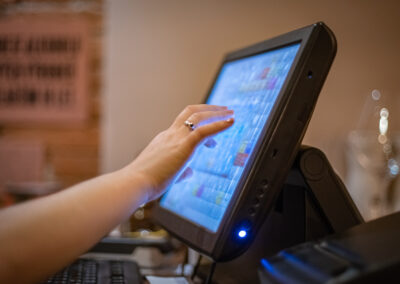
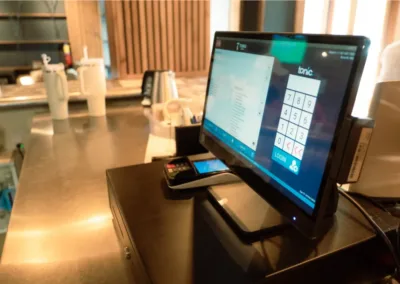
POS stands for point of sale. In a restaurant, the POS is the system that takes orders, sends them to the kitchen, splits checks, processes payments, and records every sale.
That is the narrow definition. In practice, a modern restaurant POS is closer to the operating system for the whole business. It tracks what sold and when, which servers rang it in, how long tables sat, what got comped, and what got voided. Those records feed the reports you use to schedule staff, price the menu, and catch problems early.
How is a restaurant POS different from a regular retail POS?
Restaurants have workflows retail does not. Coursing, seat numbers, modifiers, split checks, tip handling, table transfers, bar tabs, and kitchen routing all need to work smoothly during a Friday rush. A retail system that handles a simple scan-and-pay transaction well can fall apart the first time a party of eight asks for separate checks.
If a system was built for retail first and adapted for restaurants later, that history usually shows up during service.
What does a restaurant POS system cost?
Pricing varies by vendor and setup, but most systems have three parts: hardware (terminals, handhelds, kitchen printers or screens), software (usually a monthly fee per terminal or location), and payment processing (a percentage of each card transaction).
The sticker price matters less than the total. Ask any vendor to put hardware, software, processing, support, and required add-ons into one number, then compare systems on that number. Cost pressure is not a small thing right now. In the National Restaurant Association’s 2026 State of the Restaurant Industry report, more than 9 in 10 operators cited food, labor, insurance, energy, and swipe fees as significant challenges. Your POS contract should not be another line on that list you cannot explain.
What is a cloud-based restaurant POS?
A cloud-based POS stores your data on remote servers instead of a computer in your back office. You can check sales from your phone, update menus from home, and see all your locations in one place.
The practical question is what happens when the internet goes down. Good cloud systems keep taking orders and payments offline, then sync when the connection returns. Ask any vendor to walk you through their offline mode before you sign.
How do staff learn to use a restaurant POS?
Faster than you might expect, if the system is laid out sensibly. Most servers learn the basics in a shift or two: ringing in orders, applying modifiers, splitting checks, closing out payments.
The bigger training question is who teaches them. Some vendors hand you videos and a help site. Others assign you a local partner who trains your staff in your building before you go live. That difference matters most in the first two weeks, when a confused server during a rush costs you real money and real goodwill.
What reports should I actually look at?
Start with three: daily sales against the same day last week, labor as a percentage of sales, and voids and comps by employee. Those three catch most problems while they are still small.
From there, product mix reports tell you what is selling and what is sitting, which feeds menu decisions. If you want a deeper walkthrough of what a reporting dashboard can do, the Tonic back office guide covers the full set.
Do I need handheld POS devices?
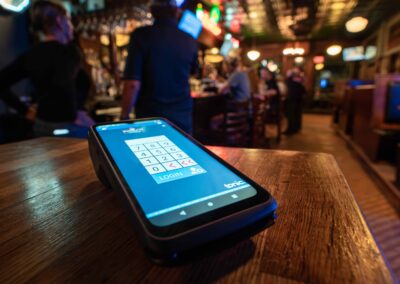
Not every restaurant does, but full-service restaurants that add them rarely go back. Servers ring in orders at the table, food starts sooner, and card payments close out tableside so the card never leaves the guest’s sight.
The math is about table turns and order accuracy. If your servers walk to a fixed terminal, wait in line, and ring in from memory, handhelds remove all three steps.
What is dual pricing, and does my POS need to support it?
Dual pricing means showing two prices, a card price and a cash price, so guests who pay cash are not carrying the cost of card processing. It has become a common way for operators to manage swipe fees, which the NRA report lists among the top cost pressures operators face.
Doing it correctly requires a POS that displays both prices clearly and applies them automatically. If you are weighing it, the dual pricing overview explains how it works and where the compliance lines sit.
Can my POS connect to my other tools?
It should. Scheduling, accounting, inventory, online ordering, and reservations all run better when they pull from POS data instead of manual exports. Before adding any tool, ask the vendor two questions: is the integration native or through a third party, and what happens when it breaks at 7 p.m. on a Saturday?
The integrations page lists what connects to Tonic directly.How often should I replace my POS system?
There is no fixed schedule, but there are clear signals: the vendor has stopped shipping updates, support tickets sit for days, hardware is failing and replacements are hard to source, or your staff has built workarounds for things the system should just do.
The NRA’s 2026 report points out that operators are leaning on technology and data analytics to manage costs and protect margins. A POS that cannot produce clean data is not neutral. It is quietly costing you the visibility other operators have.
What should I ask in a POS demo?
Bring your hardest real scenarios, not the vendor’s script. A party of ten splitting by seat with three cards. A modifier-heavy order during a rush. Voiding an item after the kitchen fired it. End-of-night close-out with tip adjustments.
Then ask who installs it, who trains your staff, and who answers the phone after go-live. The software matters, but the person standing behind it matters more.
If you want to run those scenarios on a real system, you can request a Tonic demo and bring your toughest Friday night with you.